Know where
your money
actually goes.
Sprig is a private, local-first expense tracker. No bank connections. Works fully offline — with optional cloud sync when you want it.
Free to download · No account required · Local-first with optional sync
Designed for
awareness, not automation.
Most apps try to do the thinking for you. Sprig keeps you in the loop — because understanding your spending is the whole point.
Private by default
Your data lives on your device by default. No bank connections, no third-party access. Create an optional account only if you want cloud backup and sync.
Intentional tracking
Manual entry is a feature, not a flaw. When you type out each expense, you're building awareness — one transaction at a time.
Fast and minimal
Log an expense in a few taps. No onboarding maze, no dashboard to configure. Open the app, add a transaction, close it.
Organize by category
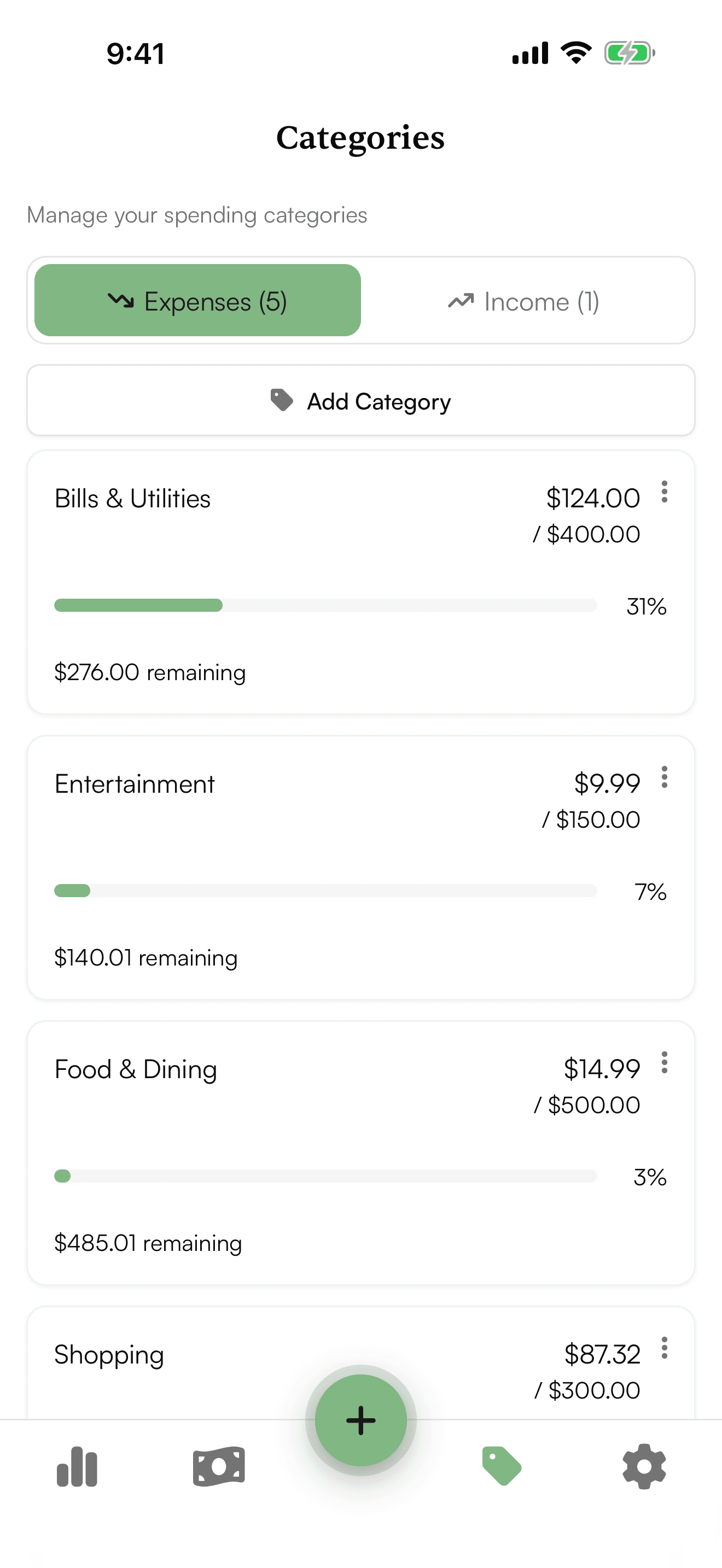
Every expense is categorized automatically. See spending breakdowns at a glance — which categories are eating your budget, where you can cut back, and where you're doing well.
"Awareness is the first step. When you see exactly where your money goes, the choices become clearer."
Most finance apps remove friction to make you use them more. Sprig adds just enough friction to make you think. That pause — between spending and logging — is where the habit forms.
How it works
Log
Open Sprig and record what you spent. Amount, category, a quick note. Takes about five seconds. That's the whole habit.
Understand
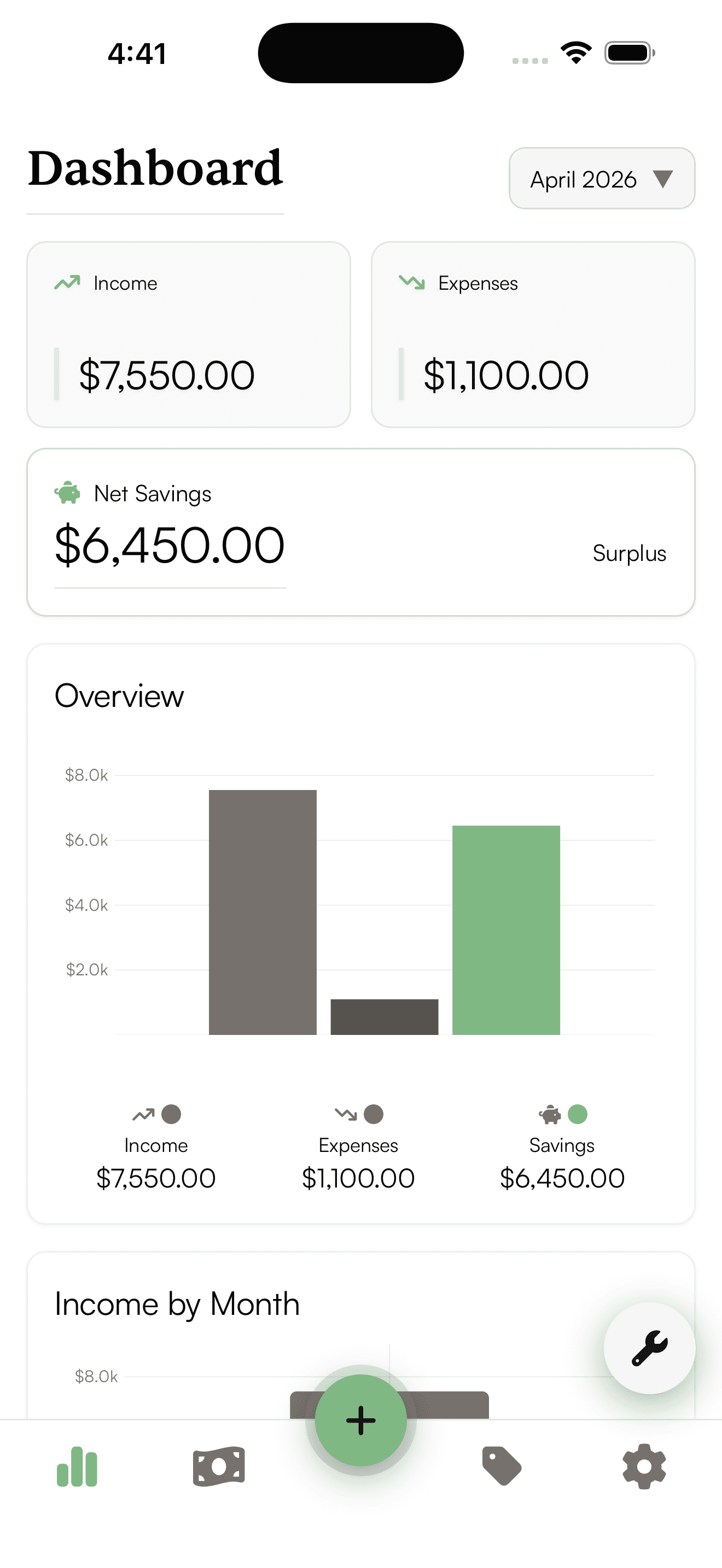
Your dashboard shows a clear picture of income, expenses, and savings over time. Patterns surface quickly when you're the one entering the data.
Improve
With clarity comes control. Small adjustments — fewer impulse purchases, reallocated subscriptions — add up over months.
See your spending patterns clearly
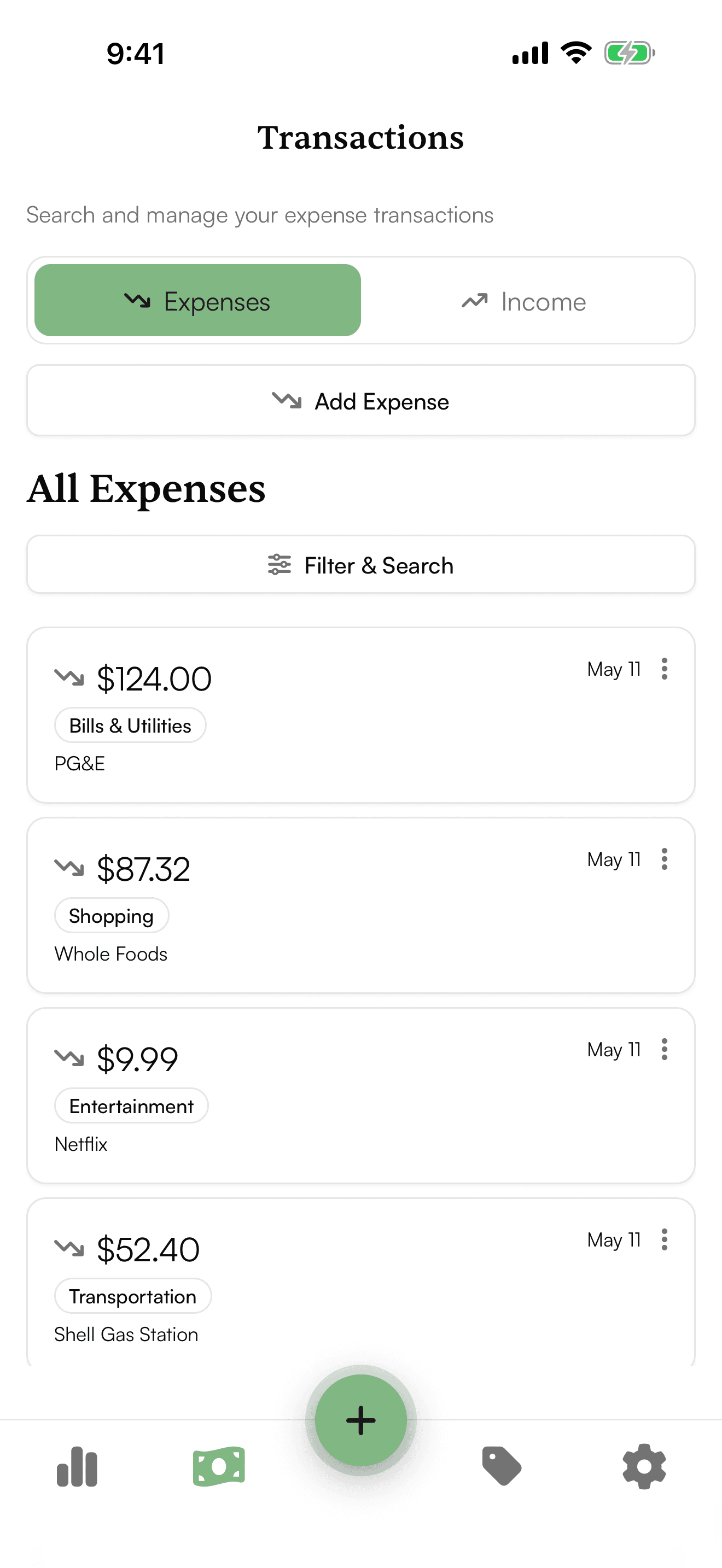
The transactions view breaks down every expense by date and category, making it easy to spot trends and adjust your spending habits.
Not another
budgeting app.
Most tools are built to automate your finances. Sprig is built to help you understand them. That's a meaningful difference.
Your data stays
on your device.
Sprig was built with a simple principle: your financial data is yours. We have no interest in storing, selling, or analysing it.
We may use minimal, privacy-respecting analytics to understand how the app is used — never to profile you or share your data with advertisers.
No bank connections
We never link to your financial accounts. No OAuth flows, no Plaid, nothing.
Local-first by default
All transaction data is stored on your device. Create an account if you want cloud backup — it's entirely optional.
No data selling
We do not sell, share, or monetise your personal or financial information.
Transparent by default
Questions about how Sprig handles data are always welcome. We'll answer plainly.
Start spending
with intention.
Download Sprig for free. No account needed to start — open the app and log your first expense in seconds.
Free · Local-first · No subscription